Skip to content
View in the app

A better way to browse. Learn more.

HAIF ➰ The Houston Area Information Forum

A full-screen app on your home screen with push notifications, badges and more.

To install this app on iOS and iPadOS
  1. Tap the Share icon in Safari
  2. Scroll the menu and tap Add to Home Screen.
  3. Tap Add in the top-right corner.
To install this app on Android
  1. Tap the 3-dot menu (⋮) in the top-right corner of the browser.
  2. Tap Add to Home screen or Install app.
  3. Confirm by tapping Install.

Bayou City Outdoors & REI Present: SUP 101 – Stand

Tuesday, June 12

Bayou City Outdoors & REI Present: SUP 101 – Stand Up & Paddle!

REI Westheimer 7538 Westheimer Rd; Houston, TX 77063

7:00 to 8:30PM

254685101503006634042335691875423275815893095920n.jpg

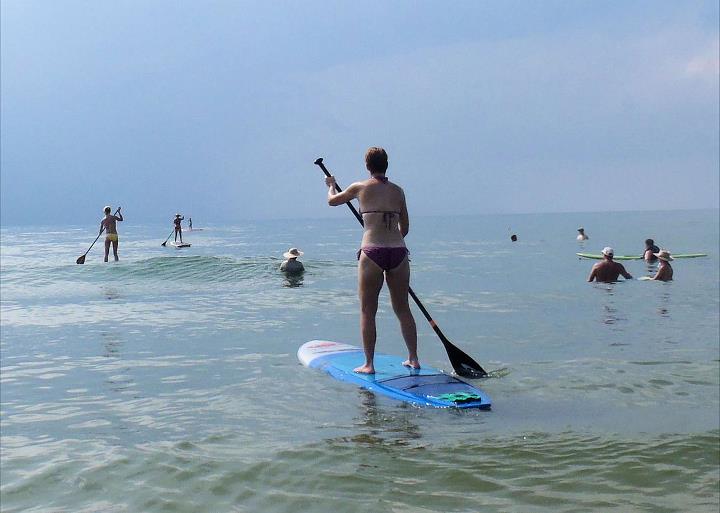
‘Sup, y’all? It is the hottest new sport that will cool you down in the blistering Houston summers. With miles of bayous, plenty of lakes and the almost flat surf of Galveston in the summer, we have an unlimited playground to try Stand Up Paddle boarding. Anyone can do this sport. It is low impact, uses practically every muscle in your body, is great for cross-training and is a ton of fun! While you work on your balance, you’ll work on your core. Plus, you can saunter along the bayous or paddle fast and turn it into an BIG aerobic workout.

Tonight we will talk about:

• How to choose a board and a paddle

• Where to paddle

• Common terminology

• Safety

• Strokes

• Cross Training, stretching & posture

Come join Bayou City Outdoors and R.E.I. as we explore all aspects of SUPing in and around Houston – we’ll have you up in no time at all!
315024101503010709792335691875423275849764450820n.jpg

3263468121-1.jpg

Recommended Comments

There are no comments to display.

Join the conversation

You can post now and register later. If you have an account, sign in now to post with your account.

Guest
Add a comment...
Terms of Service

Account

Navigation

Search

Search

Configure browser push notifications

Chrome (Android)
  1. Tap the lock icon next to the address bar.
  2. Tap Permissions → Notifications.
  3. Adjust your preference.
Chrome (Desktop)
  1. Click the padlock icon in the address bar.
  2. Select Site settings.
  3. Find Notifications and adjust your preference.