Skip to content
View in the app

A better way to browse. Learn more.

HAIF ➰ The Houston Area Information Forum

A full-screen app on your home screen with push notifications, badges and more.

To install this app on iOS and iPadOS
  1. Tap the Share icon in Safari
  2. Scroll the menu and tap Add to Home Screen.
  3. Tap Add in the top-right corner.
To install this app on Android
  1. Tap the 3-dot menu (⋮) in the top-right corner of the browser.
  2. Tap Add to Home screen or Install app.
  3. Confirm by tapping Install.

Bayou City Outdoors presents Triathalon 101

Bayou City Outdoors & REI Present: Triathlon 101

REI warehouse in the back of the store

7538 Westheimer

7:00 PM - 8:30PM

0910triathlon101.jpg

Take the guesswork out of triathlon training and racing! We ’ll be working with you this evening to help you design your own triathlon training calendar. We will also talk about choosing the proper equipment, fueling tips, transition tips and suggestions, swimming and open-water tips, & how and when to taper and why it is so important!

Plus, Sunday May 4th Bayou City Outdoors will be holding a „Try it on Tri” for beginners. This event will be for all triathetes who want to practice their swim/bike/run and transitions. Set up to be a fun-only event, it will model a triathon from start to finish!

Save yourself from trial-and-error experiences that discourage many from giving Tri’s a try! Be a smart triathlete from the get-go. Your speakers this evening will be a panel of BCO triathles.

Additional info & RSVP

www.BayouCityOutdoors.com or call 713-524-3567 or e-mail to [email protected]
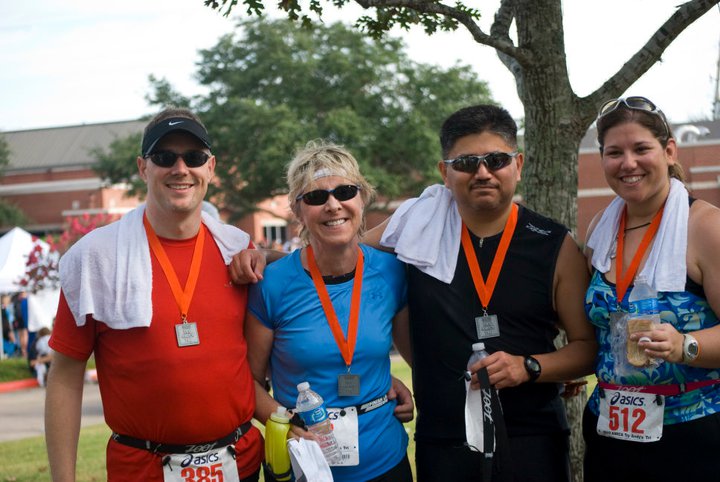
0910triathlon1012.jpg

Recommended Comments

There are no comments to display.

Join the conversation

You can post now and register later. If you have an account, sign in now to post with your account.

Guest
Add a comment...
Terms of Service

Account

Navigation

Search

Search

Configure browser push notifications

Chrome (Android)
  1. Tap the lock icon next to the address bar.
  2. Tap Permissions → Notifications.
  3. Adjust your preference.
Chrome (Desktop)
  1. Click the padlock icon in the address bar.
  2. Select Site settings.
  3. Find Notifications and adjust your preference.