

Bayou City Outdoors Meet & Greet

Event created by EventsCafe
Bayou City Outdoors Meet & Greet
April 30, 2014- 6:30 PM – 9:00 PM
El Big Bad
419 Travis Street Houston, Texas 77002
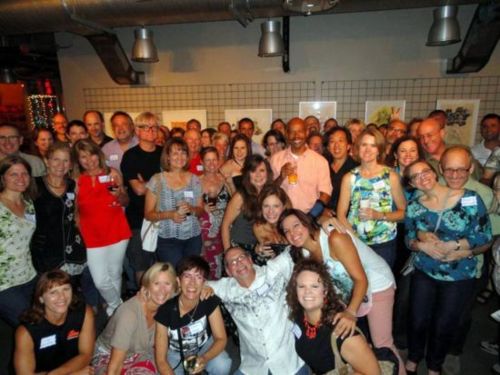
El Big Bad, sounds just like BCO
 is set in the former Cabo’s building on the corner of Travis and Praire streets overlooking Market Square Park. It’s a new gastro-cantina with a bar menu that’s borderline loco. We’ll have our own area and patio upstairs. So head up the stairs and get ready for a fiesta – there is no way to miss a BCO party! Meet new members and guests, catch up with your BCO buddies, find out more about what BCO has to offer in the upcoming months!
PARKING – we’re downtown tonight so shed that Houston fear of parking downtown and read what Market Square Park suggests:
There is an abundance of on-street parking in downtown. Metered on-street parking is available Monday-Saturday and is free after 6 pm and all day Sunday. Make sure you feed the meter when applicable and always pay close attention to City signage. Never park at a red meter or if the street has red markings. Milam and Travis streets along the park are also considered mobility lanes so you cannot park there from 7-9 am or 4-6 pm.
$5 parking is available daily at Market Square Garage at 300 Milam which is conveniently located across the street from the park.
6:30 – 9:00PM. El Big Bad 419 Travis Street, Houston, Texas 77002. More info: call 713-524-3567 or e-mail to [email protected]
